Browser extensions that do one job, and do it well
Four small tools for web developers, designers and teachers. Free to use, with an optional Pro upgrade. No account, no ads, no usage analytics.
Rehead
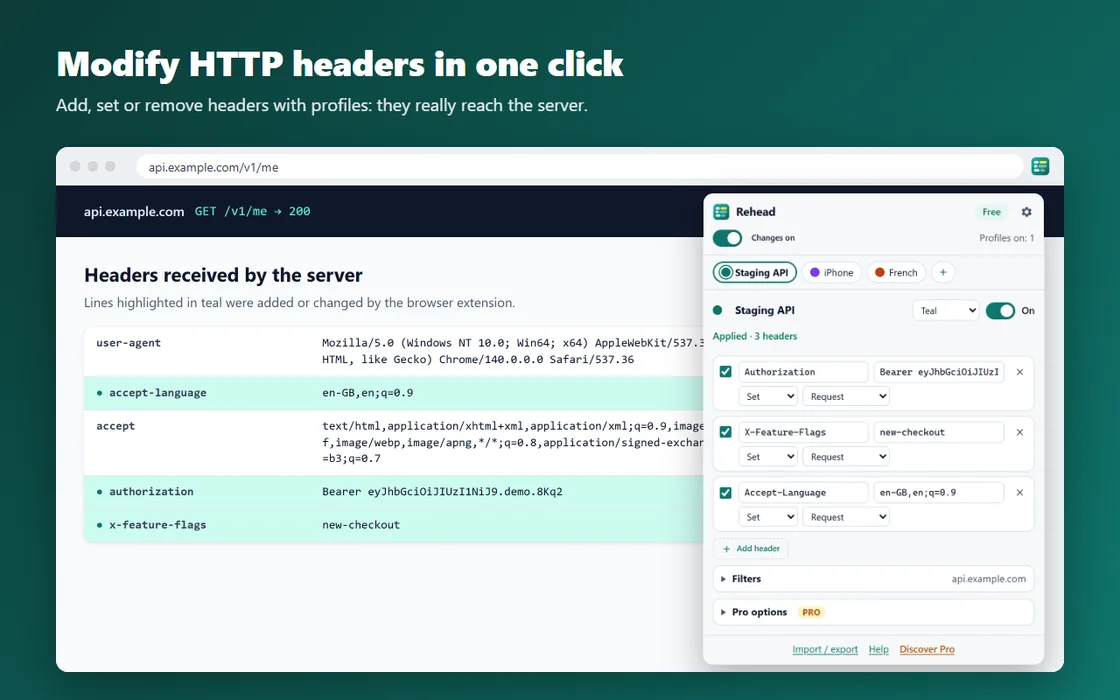
Modify HTTP Headers
Rehead adds, changes or removes the HTTP headers of the requests your browser sends, grouped into profiles you switch on in one click. A header editor built for web developers, QA testers and API work.
Private by design: no account, no ads, no tracking, no analytics. Your headers and tokens stay on your device
Access only to the sites you choose: at install, Rehead cannot see any website. It asks for access site by site when you add a domain to a profile
Imports profiles exported from ModHeader (JSON), with a clear report of what was converted
Up to 3 profiles, one active at a time
Freeup to 3 profiles, request headers, filters, import and export.
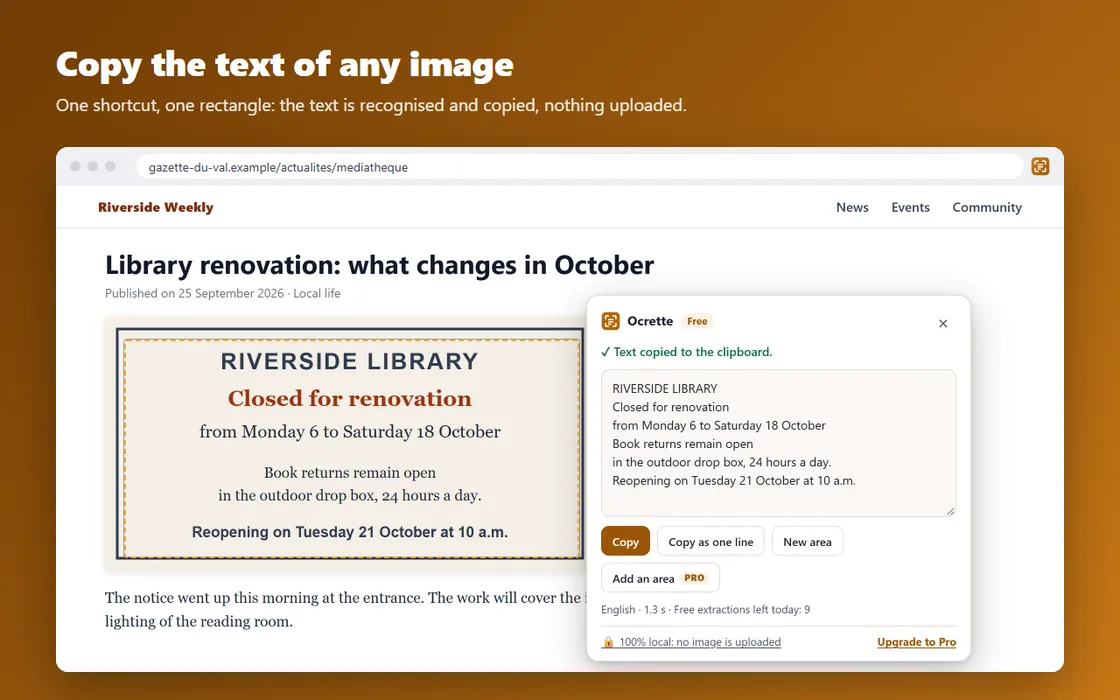
Ocrette copies the text of any area of your screen: an image, a screenshot, a scanned PDF, a paused video or text you simply cannot select. Text recognition (OCR) runs on your computer: no image is ever uploaded.
Press Alt+Shift+O or click the icon, then draw a rectangle: the text is copied to your clipboard
Right-click an image → "Copy text from image"
"Read a file": drop an image or a PDF. Text already present in a PDF is extracted directly; scanned pages go through OCR
You can edit the text before copying; "Copy as one line" removes line breaks
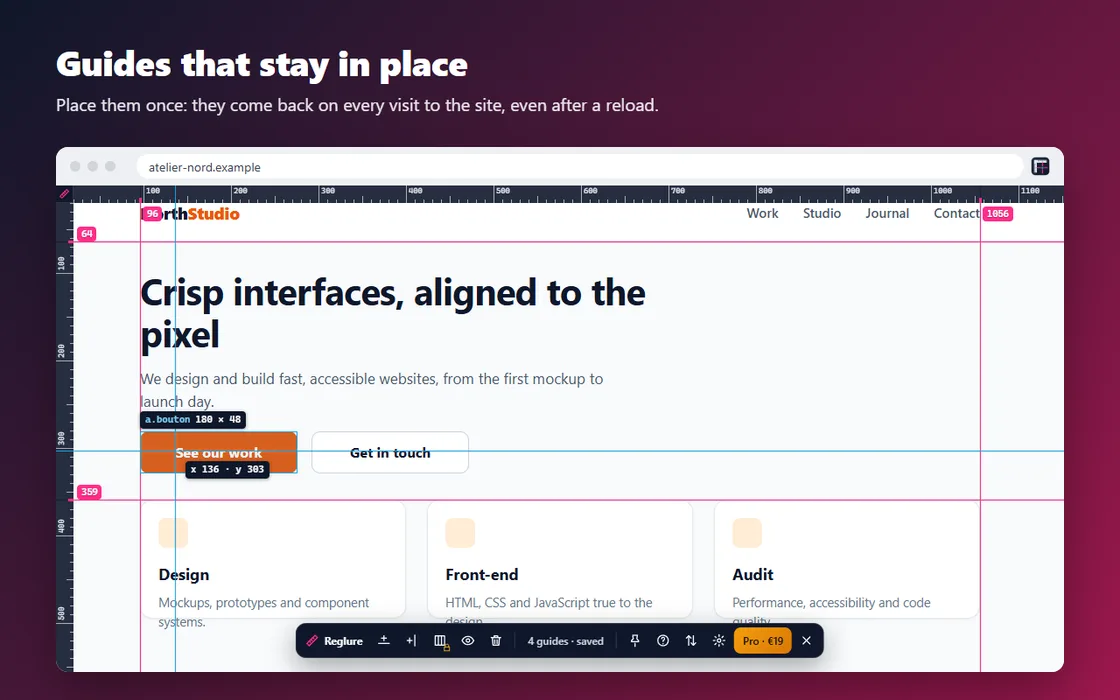
Reglure is an on-screen ruler for front-end developers, designers and QA testers: measure any element to the pixel and place alignment guides that stay put, site by site. Reload the page or come back tomorrow: they are still there.
Graduated rulers along the top and left of the page
Measuring cursor with coordinates, easy to see on light and dark backgrounds
Size of the hovered element (width × height in pixels)
Distance between two elements: click the first one, hover the second
Freerulers, measurements and guides saved for one site.
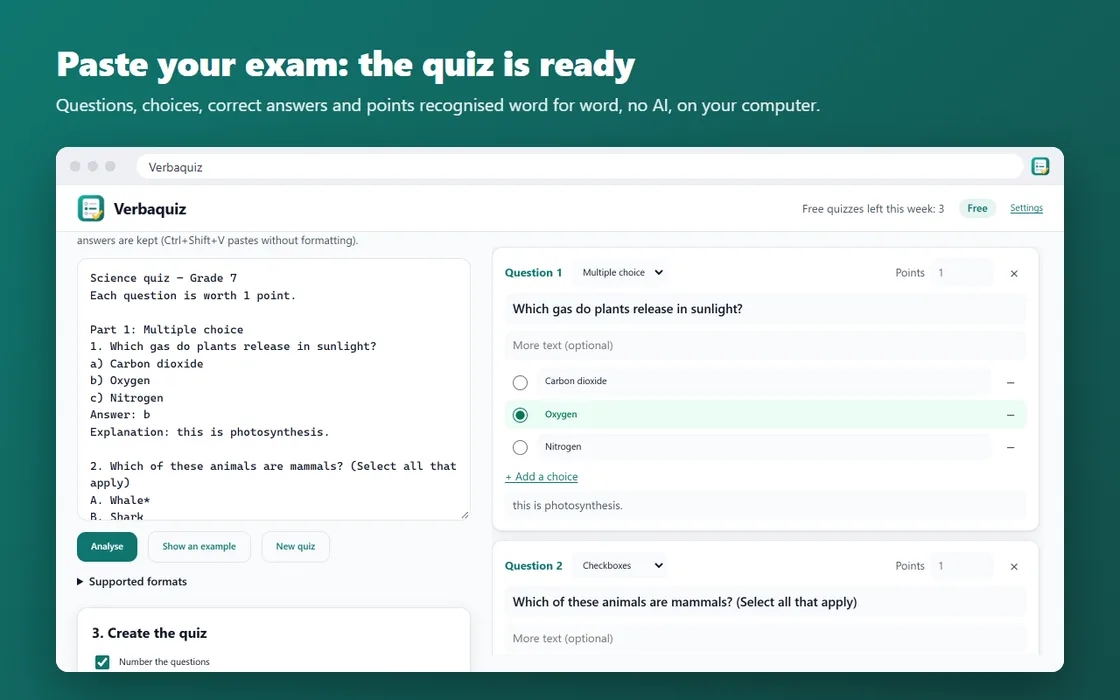
Verbaquiz turns the text of an exam or a multiple-choice test into a Google Forms™ quiz without rewriting a single word. Paste your exam from Word, Google Docs, a PDF or an email: the preview appears at once, you fix what needs fixing, and the quiz is created in your own account in one click.